Computer Support Connection
Select an option below to initiate a secure remote desktop session.
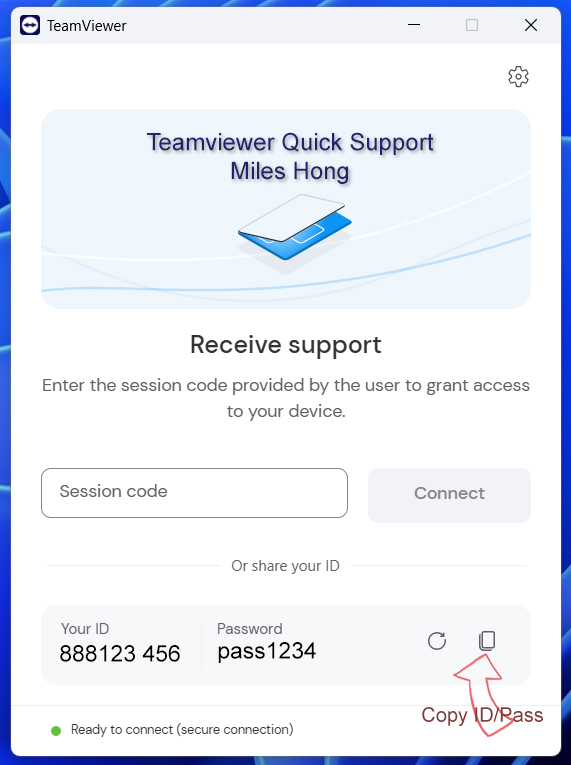
TeamViewer QuickSupport
Ideal for quick, non-installation remote support access.
Instructions:
- Download the TeamViewer QS application.
- Run the downloaded file.
- Send me the displayed ID and Password via message.
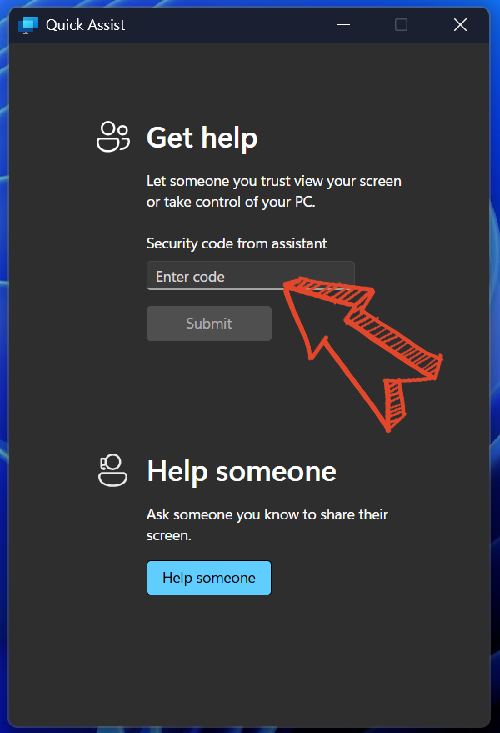
Microsoft Quick Assist
Built directly into Windows 10 & 11 — no separate download required.
Instructions:
- Open the Quick Assist app on your PC (Search via Start menu).
- Enter the security code provided by Miles under Get assistance.
- Click Share screen and allow access.